
tAFK
Cinematic AFK camera for FiveM — beat-synced cuts, per-vehicle sequence packs, authored in-game not in a file.
AFK with a camera, not a kick.
AFK systems in FiveM have always been disciplinary — a timer, a warning, a kick. tAFK is the opposite: when a player goes idle in a vehicle, their camera breaks out into a cinematic orbit around the car. Beat-synced cuts, depth-of-field, background music. Presence without interaction.
Hit any input and you're back in control instantly.
This is not an anti-AFK script
tAFK never kicks, warns, or punishes idle players. It's a camera system that triggers on idle input. If you need session-timeout enforcement, combine tAFK with a separate kick script that reads Player(src).state.afk.
Features
Eleven shots, shared by everyone
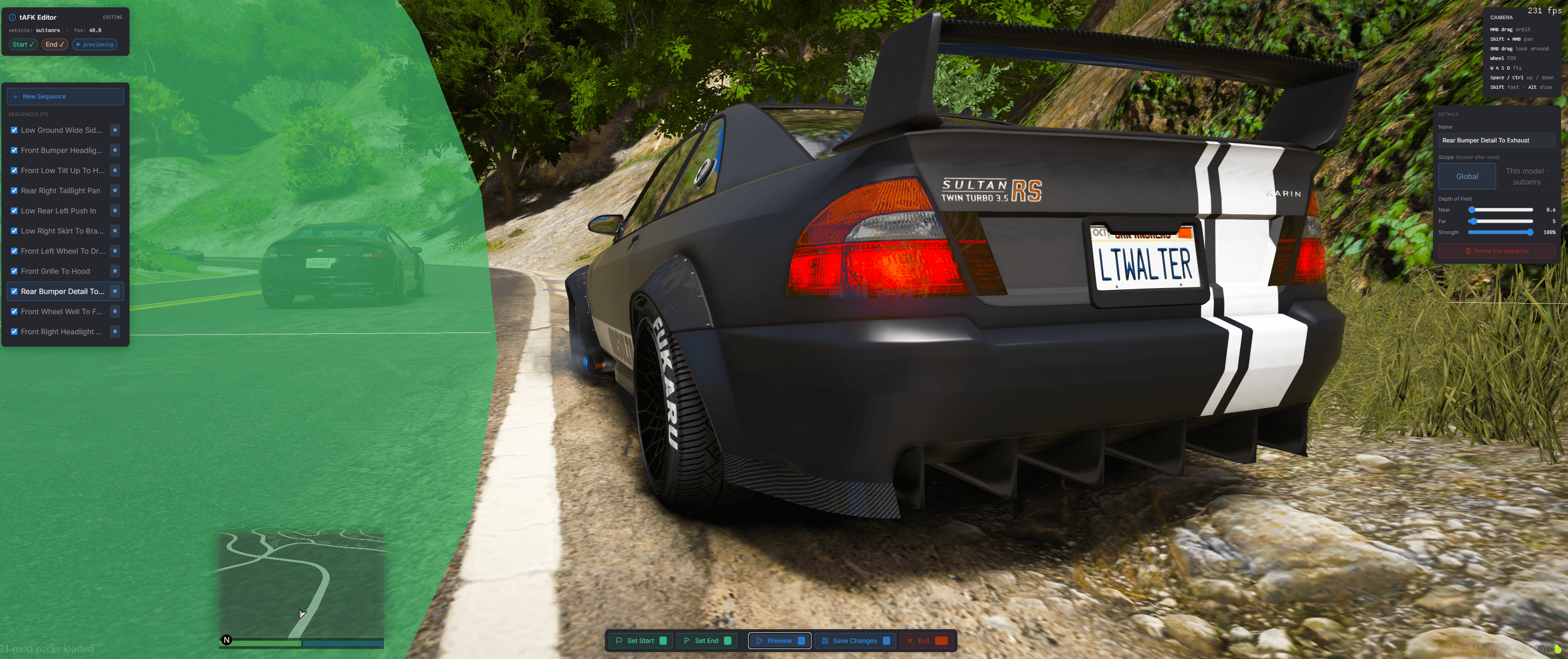
Eleven shipped sequences — low skirt pans, headlight wipes, rear-bumper tilts, overhead orbits. Each one is a pair of camera keyframes stored as vehicle-local offsets, so the same sequence works on a Bati and a Phantom. Server-authored sequences live in data.json and stream to every client on boot; the cinematic itself renders on the player's own machine.
The director picks a sequence per cycle using a weighted penalty system: raycasts the path for obstructions, rejects angles that clip through the vehicle or its trailer, penalises jarring end→start transitions, avoids repeating recent shots. Every run looks different; none of them look broken.
Cuts on the beat
Drop any .ogg, .mp3, or .wav into audio/ and restart — any filename works. The server scans the folder on boot and adds every audio file it finds to the rotation automatically. No naming convention, no manifest file required.
When a track plays, the NUI analyses BPM and offset in-browser and hands the timing back to Lua; cuts align to the next beat within the sequence's min/max duration, with a configurable anticipation offset so the hit lands with the beat, not after.
No beat data? Durations fall back to random within range — the system still works, just without the sync.
Authored in the vehicle, not in a file
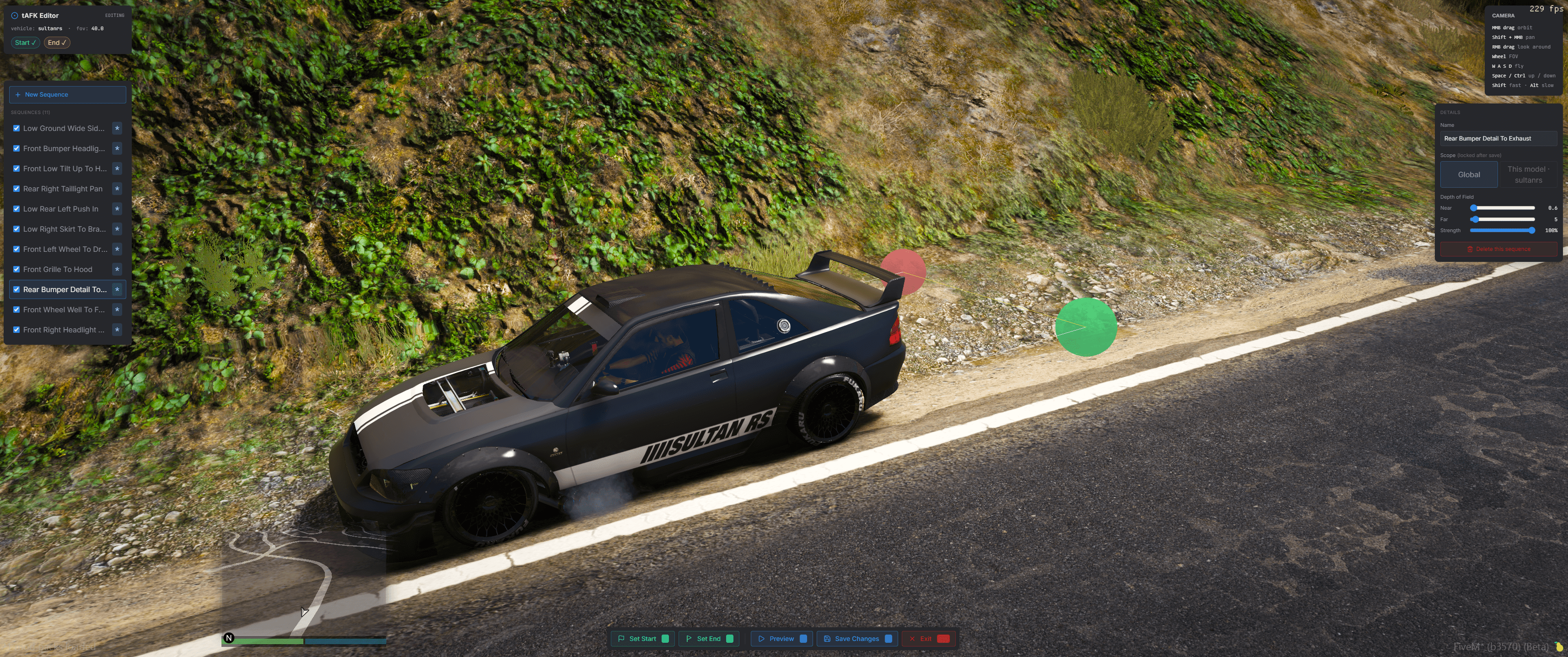
/tafkedit (admin-gated) drops you into a free-fly camera around your car. MMB drag orbits, Shift+MMB pans, RMB looks around, wheel adjusts FOV. WASD flies; Space/Ctrl are up/down; Shift for 3×, Alt for 0.3× fine-tune.
1 captures the start, reposition, 2 captures the end, 3 previews, 4 saves. Scope the sequence globally or lock it to the current model. Naming and per-sequence toggles live in the same UI — no config files to edit.
Per-vehicle sequence packs
Vehicle resources ship their own sequences:
tafk_config 'tafk.json'{
"bati801": {
"sequences": [
{ "id": "bati_low_pass", "name": "Low Pass", "start": {...}, "end": {...} }
]
}
}tLib's Discovery module scans every running resource on server start, merges matching-model sequences into each client's lookup, and re-broadcasts when packs start or stop. Server-side admin edits always take priority, so pack sequences act as defaults you can override.
Integrates through state bags
The moment a player enters or leaves AFK, tAFK sets LocalPlayer.state.afk and replicates it server-wide:
local afk = Player(playerId).state.afk -- true | false | nilNo exports, no events, no polling. Radio, scoreboard, dispatch panels — anything that needs to know who's cinema-idle reads the state bag. Exports (IsAFK, StartAFK, StopAFK, ToggleAFK, IsAFKEnabled, SetAFKEnabled) cover local-client queries and programmatic toggles.
Players control their own experience
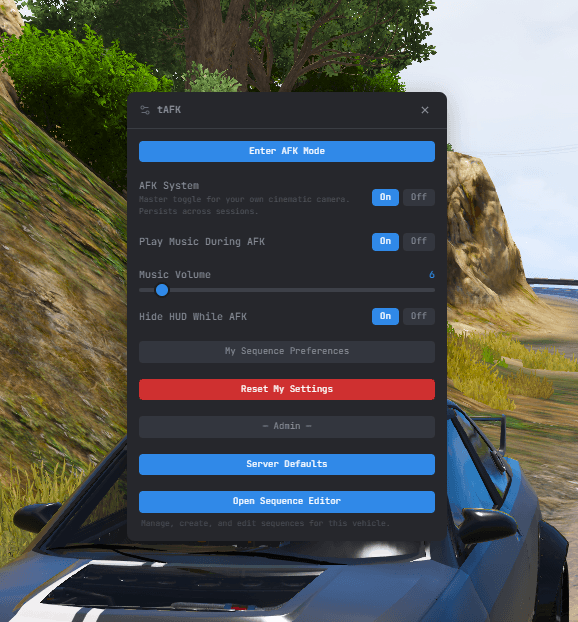
/tafk opens a settings dialog with master enable/disable, music override, volume override, HUD-hide toggle, and per-sequence opt-outs — all persisted via tLib KVP, all survive relogs. Server defaults inform the starting values; a player's override wins for their own client.
Admins see the same dialog plus global settings (timeout, duration bounds, beat anchor, music defaults), sequence management, music track registration, and an editor launch button when in a vehicle.
Quick Start
- Extract the resource to your server's
resourcesfolder - Start tLib before tAFK (
ensure tLibthenensure tAFKinserver.cfg) - Grant the
tlib.adminACE to roles that should author sequences - Drop a few
bg1.ogg,bg2.oggtracks inaudio/for beat-synced cuts (optional) - Restart your server
Requirements
- FiveM with OneSync (Infinity or Legacy)
- tLib — install the release zip, not the source code (source lacks built files). Provides Discovery, KVP, dialogs, admin ACE, toasts.
- Lua 5.4 (handled by the manifest)
Pages
Installation
Dependencies, server.cfg setup, admin ACE, first-run behaviour.
Usage
Commands, auto-AFK flow, player settings, state-bag integration.
Editor
Orbit controls, keyframe capture, preview, save scope.
Configuration
The data.json schema, per-vehicle packs, admin settings.
API Reference
Exports, events, state bags, admin server events.